Cynthia Oswald Logo
CO Logo
  • Home
  • Work with me
  • Art + Illustration
  • Branding + Design
  • Writing
  • Shop
  • About
  • Contact
  • Skip to primary navigation
  • Skip to main content
  • Skip to primary sidebar
  • Skip to footer
Cynthia Oswald Logotype

Cynthia Oswald

Surface Design, Fine Art + Branding for Creatives

  • Home
  • Work with me
  • Illustration + Art
    • Botanical Illustration
    • Surface Design
    • Landscapes
  • Branding + Design
    • Branding & Logo Design
    • Print Design
    • Website Design & Development
    • SEO Strategy Intensive
  • Writing
  • Shop

web design

Top 5 Tips for SEO

Top 5 pieces of content to consider when optimizing your website for search engine optimization

Website SEO can sound super daunting or confusing. It oftentimes feels like it is this abstract thing that is hard to grasp, but it is actually very simple! Listed below are the top 5 things you should consider, listed in the order of importance, to boost your website’s SEO. They are super easy to implement and can be put into practice starting today!

1. Page Titles

The number one thing you want to make sure is optimized for SEO are your website page titles.

The key to optimizing page titles is to integrate keywords—words that reflect specific subjects you wish to be found for on that specific page—directly within the page title. Try to stay within the recommended character length for page titles (under 70 characters) for the best results.

2. Page Descriptions

This is where you can flesh out the content a bit and dive a little more into how that keyword is related to the information you are offering on that specific page. It is important to use some alternate keywords in the description in case someone is not searching for the specific word you chose, but another word that’s related or similar to it. The recommended character length for page descriptions is between 50 and 160 characters. Make sure you are staying within that recommended range as it does help for SEO purposes.

3. Headers (H1-H6)

Content headers are the next thing that search engines are looking for when pulling up search results. If you go into the backend of your website, you will see one of two things. You will either see 

  • 1) H1 through H6 as code, or
  • 2 ‘Heading’ listed as a style option within your website content builder when writing text on your web page

These are your headers and they are a great place to reiterate those search terms that you are wanting to be found for, throughout the page. Content headers will always be searched before the body copy, so make sure you are including important or key information within those headers.

4. Body Copy

The keywords that you have chosen to use within your page title, page description, and headers also need to be sprinkled throughout the body copy. This is a super easy step to overlook (I have even been guilty of this) because you assume that you would have used those words when writing the copy, but a lot of times those keywords haven’t been used. Most search engines are going to look to see that the content within your website is relevant to the page title, the description, and the headers in order to really push it up within the ranking. 

5. Image Alt Tags

Almost all website builders will give you the option to add alt tags in the description of the image. These image tags will not show up on your website visually. These tags output as additional code for SEO. When someone is searching for an image online the search engine is looking at alt tags to pull the results. Make sure your alt tags are related to whatever the image is, as well as what you would like to be found for.
Is your website optimized to reach its fullest potential in search engines? Whether you’re looking to improve your site’s SEO strategy or start building a strong online presence from the ground up, I’m here to help. Let’s discuss how we can increase your visibility and attract more of your ideal customers. Reach out for a personalized SEO consultation, and together, we’ll ensure your website not just exists but stands out and attracts the audience it deserves.

Book Your Web Design Consultation

How to Use Passion Projects to Find Your Style

Using Passion Projects to Find Your Style

I’m coming up on a decade of running my small art and design business. I can still remember what it felt like to finally make the decision to start living my life—I was single, had a mortgage, and big dreams. I was restless and felt my heart pulling me in a different direction. Something had to change in order for me to get closer to where I was really meant to be. 

I still remember the stack of books I read about intuition, self-discovery, and intention. On a personal level I knew I wanted to get married and have kids, so one of the books was called “Getting to ‘I Do’”—laugh all you want but it’s how I met my husband (a story for a different day)! And on a professional level, I had big dreams but no clue how to actually connect the dots. Especially because I was interested in a lot of different directions and not sure which way to go. 

I hear a lot of stories about stumbling across the perfect career path, or finding the perfect offering and niching down. That is not my story. My story has a lot of twists and turns. It’s about following my intuition and not the popular opinion. It’s about carving my own path and really following hard after what lights me up. When things feel misaligned, it means assessing how close I am to where I belong and course correcting. And now, nearly a decade later, I am blown away by the work I get to do almost daily. I’m finally able to embrace my true passions—professional design and fine art—and integrate them both into my career.  I’m still carving a path for myself and things are always changing and evolving, but I feel more aligned than I ever have. 

Maybe you can relate to where I am now. Or maybe you’re really resonating with how I felt early in my professional and personal life. Either way, I grew a lot through my journey of exploring my passions and infusing them into my work, so I want to share a few pivotal lessons I learned along the way. 

3 Lessons I Learned From Putting Passion to Work

1. Embrace every part of yourself

Do not fall prey to the popular opinion of niching down. If that feels aligned, great. Go for it. But if it’s making you feel constrained, it’s okay to buck the system and do something different. It wasn’t until I finally let go of that restraint that I fully discovered my ultimate love is combining the two things I love. So embrace every part of yourself, your talent, and your passions—and don’t feel like you have to “niche down” and ignore something that lights you up! 

2. Let your style be influenced by what you’re passionate about 

By understanding your motives, strengths, and what you’re passionate about, you naturally attach a driving force behind what you create. That driving force becomes an undercurrent to what you are creating. When you create work that relates to your interests, it shows—people connect with it, and suddenly your style begins to emerge. So don’t forget to embrace your passions and let it guide your creative exploration. 

3. Embrace failure

Failure can feel so deflating as a creative, especially when you put your heart and soul into the work. It feels deeply personal. Knowing that you are going to come up against it often and embracing it as part of the process will enable you to keep moving forward when it smacks you in the face. I still struggle with this one. Each time I’m rejected my thoughts sound something like this “What’s the point? Just give up. No one cares. Etc.” But try your best to see the opportunity that lies ahead and don’t get stuck in the cycle of self-doubt. After all, most of the success stories you hear are about someone who persevered through rejection and discovered a beautiful opportunity in spite of many “failures”. 

These 3 things—embracing each part of myself, allowing my interests to guide my work, and embracing failure—have led me to where I am today. To a design style that feels uniquely me and to a career that’s more fulfilling than I ever could have imagined. 

So, if you’re on a similar journey, I want to challenge you with 3 steps to take to start nurturing your passion. 

3 Challenges to Embrace Your Journey to Put Passion to Work

  1. Make a list of the top ten memories you hold and spend time reflecting what makes them unique or special.
  2. Begin a daily creative practice—keep it simple and doable. The key is to commit to 30 days or more so that you can begin to find marks or subject matter that feel aligned with your natural tendencies.
  3. Begin a passion project that you’ve always desired to bring to life, create time in your schedule to work on it, and set a goal for when to share with those around you! 

Be patient with yourself during this process, and embrace the unexpected twists and turns. It’s a journey after all! 

I hope this encourages you and inspires you to trust your gut, follow your design intuition, and truly embrace your passions. From someone who’s on the other side of that journey, trust me, it’s worth the process! 

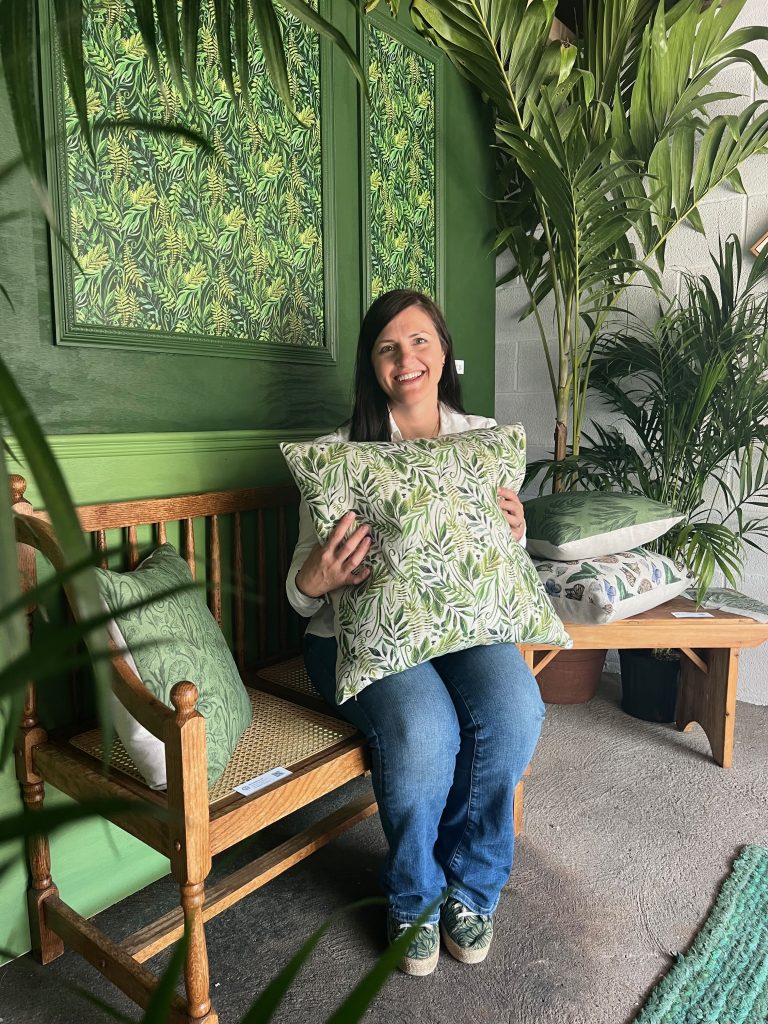
Transform your space into a sanctuary of peace and natural beauty. Explore my collection of original art, linen wall hangings, and bespoke wallpaper, each piece crafted to inspire tranquility and well-being. Interested in a custom creation that perfectly matches your vision? Let’s collaborate to bring your unique idea to life. Reach out today to discover how we can enhance your environment with art that resonates with the soul. Together, we’ll create a space that reflects the beauty of nature and the essence of your personal style.

Visit my shop here

Understanding Your Site Services

Website Terms Defined: A Beginner’s Guide to Web Basics

One of the things I love about the web is how it constantly evolves. But that same quality can also make it feel complex and overwhelming. With so many moving parts, it’s easy to feel lost.

As both a business owner and web designer, I believe in empowering my clients by breaking down key website terms in a way that makes sense. I like to compare a website to a physical space—think about your home:

  • Your domain is your home address—whether you have a PO Box or a mailbox at your physical location, it directs people to you.
  • Hosting is the land your house sits on—defining the space your website occupies online.
  • Security is like a home security system—an extra layer of protection beyond doors and locks.
  • Your website’s content is the furniture and decor—what makes your space unique and inviting.
  • Each page is a different room, serving a distinct purpose.

By breaking it down into tangible comparisons, the digital world becomes much easier to navigate. Below is a list of commonly used website terms to help you better understand your web services.

Essential Website Terms

Domain/URL

Your domain name (or URL) is the web address people type into a browser to find your site (e.g., yourbusiness.com). While a domain points to a numerical IP address behind the scenes, its main purpose is branding—making your website memorable instead of just a string of numbers.

DNS (Domain Name System)

DNS is like a phone book for the internet. It translates human-friendly domain names (e.g., yourbusiness.com) into the IP addresses that computers use to find websites.

IP Address

An Internet Protocol (IP) address is a unique set of numbers assigned to your website’s hosting server. Your domain name is connected to this IP address, allowing users to access your site.

Hosting (Web Host/Hosting Provider)

Web hosting is where your website lives—it’s the physical space where all your site’s files and data are stored. Think of it as the plot of land where your house (website) is built. Reliable hosting is essential for speed, security, and uptime. Some reputable hosting providers include SiteGround, Bluehost, and WP Engine.

FTP (File Transfer Protocol)

FTP is a tool used to upload, edit, or download website files directly from your hosting server. It’s like having a key to a storage unit where your site’s files are kept.

CName (Canonical Name Record)

A CName helps map domain names to the right IP addresses. If your website is hosted on one platform but you want to connect your domain from another provider, a CName ensures everything points in the right direction.

Content Management System (CMS)

A CMS is the backend framework that allows you to build and manage your website without coding. It’s like hiring an architect to design your home’s structure. Examples include WordPress, Squarespace, and Wix.

Control Panel (cPanel/Plesk)

A control panel is your website’s command center. Provided by your hosting service, it allows you to manage your website’s files, email accounts, security settings, and more—all in one place.

SSL Certificate (Secure Sockets Layer)

An SSL certificate encrypts the connection between your website and visitors, keeping sensitive information like passwords and credit card details safe. Websites with SSL have “HTTPS” in their URL, and search engines favor secure sites.

Cache & Caching

Caching temporarily stores copies of website data to make pages load faster for returning visitors. Browser caching saves images and scripts, while server caching helps reduce website load times.

Analytics (Google Analytics, etc.)

Website analytics track user behavior—how people find and interact with your site. Tools like Google Analytics provide data on visitor demographics, page views, bounce rates, and conversions to help you optimize performance.

Bounce Rate

The percentage of visitors who leave your site after viewing only one page. A high bounce rate can indicate poor user experience, slow load times, or irrelevant content.

Search Engine Optimization (SEO)

SEO is the process of optimizing your website to rank higher in search results, making it easier for people to find you. It involves using the right keywords, improving site speed, and creating quality content. Think of it as setting up signs and pathways that lead visitors to your website.

Call to Action (CTA)

A CTA is a prompt encouraging users to take a specific action, like “Sign Up,” “Download Now,” or “Contact Us.” Strong CTAs are crucial for converting visitors into customers.

Responsive Design

Responsive design ensures your website adapts seamlessly to different screen sizes, from desktops to mobile phones. A well-designed responsive site prevents content from looking distorted on smaller screens.

User Experience (UX)

UX is all about how visitors interact with your website. A good UX design ensures that users can easily find information, navigate smoothly, and have a positive experience on your site—just like having a well-organized home where guests feel welcome.

Landing Page

A landing page is a standalone webpage designed for a specific purpose—like capturing leads, promoting a product, or encouraging sign-ups. It’s often linked to marketing campaigns, making it an essential tool for conversions.

Website Maintenance

Maintaining a website involves updating software, fixing bugs, improving security, and keeping content fresh. Think of it as regular home upkeep—cleaning, repairs, and making sure everything runs smoothly.

Site Backup

A site backup is a saved copy of your website that can be restored if your site is hacked, crashes, or faces an error. Just like having an emergency home insurance plan, backups protect your online presence from unexpected disasters.

301 Redirect

A 301 redirect permanently forwards one URL to another, preserving SEO value. It’s commonly used when changing domains or restructuring a site.

Permalink

A permalink is the permanent URL of a specific webpage or blog post. Good permalink structures improve SEO and make links easier to share.

Alt Text (Alternative Text)

Alt text is a written description added to images on a website. It improves accessibility for visually impaired users and helps search engines understand image content for SEO.

Favicon

A favicon is the small icon displayed in a browser tab next to a website’s title. It helps reinforce brand identity and improve site recognition.

Widgets & Plugins

  • Widgets are small applications or tools that add functionality to a website (e.g., a social media feed in a sidebar).
  • Plugins are add-ons used to extend the capabilities of a CMS like WordPress, such as SEO tools, e-commerce features, or security enhancements.

CDN (Content Delivery Network)

A CDN distributes website data across multiple servers worldwide, helping pages load faster by serving content from the closest server to the visitor.


Need More Clarity?

This is a growing list, and I’m happy to expand it! If there’s a web-related term you’d like explained in simpler terms, send me a message, and I’ll update this guide.

Is your website optimized to reach its fullest potential in search engines? Whether you’re looking to improve your site’s SEO strategy or start building a strong online presence from the ground up, I’m here to help. Let’s discuss how we can increase your visibility and attract more of your ideal customers. Reach out for a personalized SEO consultation, and together, we’ll ensure your website not just exists but stands out and attracts the audience it deserves.

Book Your Web Design Consultation

8 Important Questions to Ask Before Hiring a Web Designer/Developer

How to know if you’re hiring the right web developer:

I have always been intrinsically drawn to the beauty and freedom in artistic expression. Over time, that artistic expression has evolved to embrace the evolution and influence of technology, and it has taken my career down paths I never thought possible. When I was dreaming up my place in the world, I never imagined that my art would consist of HTML code, responsive design, CMS platforms, etc. In 2008, I took an evening class at the University of the Arts in Philadelphia that went over basic CSS and HTML. I was hooked. I loved the idea of creating interactive visuals that could grow and change over time. What I didn’t realize is how rapidly the changes would occur—making the possibilities almost endless. After 10+ years of experience working on websites, I have ascribed a particular set of steps and preferences that I implement when working on a site. Much like the possibilities of any medium, a website will look and feel different depending on who created it. That said, I’d like to share with you a few key questions that will help you find the right web designer/developer for your next project. 

What platform will you be working within? What are the benefits and limitations of that platform? Nowadays, anyone can design a website using the page-building tools that are available. From WordPress to Wix, or Squarespace to Shopify—there are so many options available. Some of these tools are seriously awesome, while others can potentially cause long-term issues. No two are created equal, so depending on your product, service, or industry, you’ll want to work with someone who can help guide you and recommend the platforms and page-building tools that make the most sense for your unique needs. Before you begin any project, ask your potential web designer/developer what platforms they are experienced in. Share your website functionality and technical requirements with them, so they can suggest an appropriate platform. And listen for a clear explanation of how they have arrived at choosing their preferred platform for your site.

Do they have branding experience? If you are not a designer yourself, I highly recommend that you work with a web designer with some branding experience or a brand expert on their team. When you’re investing in a marketing tool for your business, it needs to represent your brand aesthetic. This means that it represents your brand voice and is cohesive with the rest of your marketing material. If you already have a style guide, you can pass that off to your web designer. If not, I recommend working with your web designer to start the project with a mood board to indicate color, fonts, photography, and illustration. In the absence of a style guide, this will provide the foundational look and feel for your project.

What does their process or methodology look like? Websites should not be created in a vacuum. Your site should reflect your business, and in order to do that, your web designer/developer will need to become very familiar with the work you are doing. This means that there should be multiple touchpoints, thoughtful conversations, in-depth collaboration, proactive communication, deadlines that are delivered upfront, and so much more. If your web designer can’t share with you their process or doesn’t include this in the original agreement, then my advice is simple … run for the hills. Likewise, you should prepare yourself to commit and stick to a schedule to ensure your goals are met.

What type of SEO implementation is included with the package? When it comes to your web content—imagery, copy, and user experience—each element should be looked at through the lens of an SEO strategy. Your designer should have a base-level SEO package built into your web design package. Ask them to explain what this looks like. Listen carefully … high quality, relevant content is the key driver to successful Search Engine Optimization. SEO implementation should continue after the site is launched and when new content is added to the site. Ask them how you can best ensure the continued optimization of your site long term.

What type of on-going support do they have? Who will make the changes? Websites are fluid—they can and should grow and change over time. You’ll most likely have new ideas for added content the minute you launch the site. How quickly are they available to make changes? Do they have monthly or quarterly support packages so you can reserve time in advance? If you or someone in your team would like to make changes to the site after launch, make sure this is a discussion point early on. They should be able to provide you with a tutorial that will help you understand the fundamentals needed in order to make changes to the content on your site or publish new content in the future. 

What host do they recommend and why? No two hosting platforms are created equal. Your site speed is affected by many different components—the platform you’re running on, the size of your site, the interactive capabilities, and the overall form and functions. Your hosting account can make or break your website—literally—so you’ll want to ensure you are hosting your site on a trusted hosting platform, with excellent customer service, speed, and security. In addition to those features, it is always important to have a backup of your site. A good hosting platform will include a backup of your site, so double-check to be sure that feature is included. Two of my personal favorites are Rackspace.com (for multiple large sites) and Siteground.com.

What type of added security is available? Many hosting platforms have excellent security features built directly into their services. But to truly protect your site, prevent hacks, or reverse any damage caused by a site hack, you’ll need to implement a third-party security system. I like to compare this to a home security system. Is it mandatory to have a home security system? No. Will it protect you from break-ins or prevent damage. Yes. The same applies to our website. Your site might never get hacked, regardless of whether or not you have added security. But with malware and sophisticated site hacking nowadays, I strongly encourage all my clients to invest in added security—just in case. The security platform I recommend is sucuri.net. The good news is if something does happen to your site and you don’t currently have a system in place you can reach out to Sucuri and they will help you through the aftermath, getting you back up in running in no time.

What exactly is happening on the back end? In my opinion, it’s important for you to have control over your domain name, hosting, any added security or outside features, and access to your website files/backups. Imagine you had to contact your realtor every time you want to make a major change to your house. He or she would be in control of your insurance, your mortgage, your security system … you would be left in the dark without any control of your own property. The same logic applies to your website. You should own the domain, hosting, and added security so that you can make changes as your business grows and evolves over time. Transparency is key with your web services. If your web designer is reselling hosting to you, be sure to ask them what would happen if you ever wanted to move your site from their server. And make sure their contract specifies ownership details of everything that is “behind the scenes” of your website.

All in all, these questions will help you get the conversation started with a potential web designer and/or developer. Use them to spur helpful dialogue and to make sure you know exactly what you are getting. A good web designer will ask insightful questions in return to help you think through the content that should truly exist on your site. And they will bring much more to the table than user experience, SEO, and design. They’ll collaborate. They’ll guide. They’ll troubleshoot. And they’ll provide feedback, direction, visuals, and verbiage. And when you partner with the right web designer/developer, they’ll help you build a powerful marketing tool, extending beyond the device, and into the hands of your target audience.

Is your website optimized to reach its fullest potential in search engines? Whether you’re looking to improve your site’s SEO strategy or start building a strong online presence from the ground up, I’m here to help. Let’s discuss how we can increase your visibility and attract more of your ideal customers. Reach out for a personalized SEO consultation, and together, we’ll ensure your website not just exists but stands out and attracts the audience it deserves.

Book Your Web Design Consultation

5 Essential Steps For Building A Successful Website

5 Tips to set your website up for success

So you’d like to update your web design or create one from scratch? The task ahead of you is time-consuming. The middle is messy. And the end result, if not properly planned, can leave you feeling underwhelmed. I’d like to share some tips with you I’ve learned over time that can help set up your website for success right from the start.

1. The first and most important task is defining your goals for the website.

It could be that you’d like to generate new leads, target and attract a specific audience that you haven’t been able to reach, or maybe it’s an informative marketing tool that will save you time and money. Write out your desired outcome for how this site update or launch will aid your business goals and make your job easier. Websites are versatile and multi-faceted tools that will grow and change over time and therefore will continue to help you achieve your goals.

2. What basic or complex functions could your site include that will make your business run smoother?

This answer should reveal itself through defining your goals. I have many different types of customers that are all achieving a variety of goals through their site designs. Let me run you through a few examples that may help you come up with your own list:

• Defining a process or service visually to use as a sales or marketing tool
• Creating a map of locations that include where your products can be found
• Growing your email list through offering free tools and resources
• Creating a form that allows your customers to give you all of the information needed to generate an estimate
• Display your portfolio of work in an interactive and user-friendly way
• Creating a resource archive that customers have access to so that you only have to share information one time

I could keep going but the possibilities are endless so I’ll let you use your imagination.

3. How are you going to point your potential viewers, customers, clients, colleagues, buyers, friends, etc. to your site?

Whether your site is an informative resource or a storefront, part of the goal is to have viewers on the site. This could be your number one reason for developing a site in the first place. Honing in on your target audience will help you define an SEO strategy and develop a plan that ensures your site has visitors. You can have the most beautifully designed website but if you aren’t aware of how to integrate an SEO strategy before you structure your content and design, you may miss out on big opportunities. For tips on improving your SEO starting today click here.

4. Content will drive the design.

By now you have a clear picture of what the major goal of your website is, what basic or complex functions you’d like it to perform, and a rough idea of your target audience. It’s time to gather your content. A web designer or developer can help you through this process or you can gather some resources in advance. Start by creating an outline that includes your mission, values, product or services, body copy from your current marketing materials, brand elements, style guide, logo versions, and other brand resources. Having this all in one location will speed up the process and give your designer a head start on understanding your brand. For more information on gathering your site content click here.

5. Last but not least let’s dive into the web design.

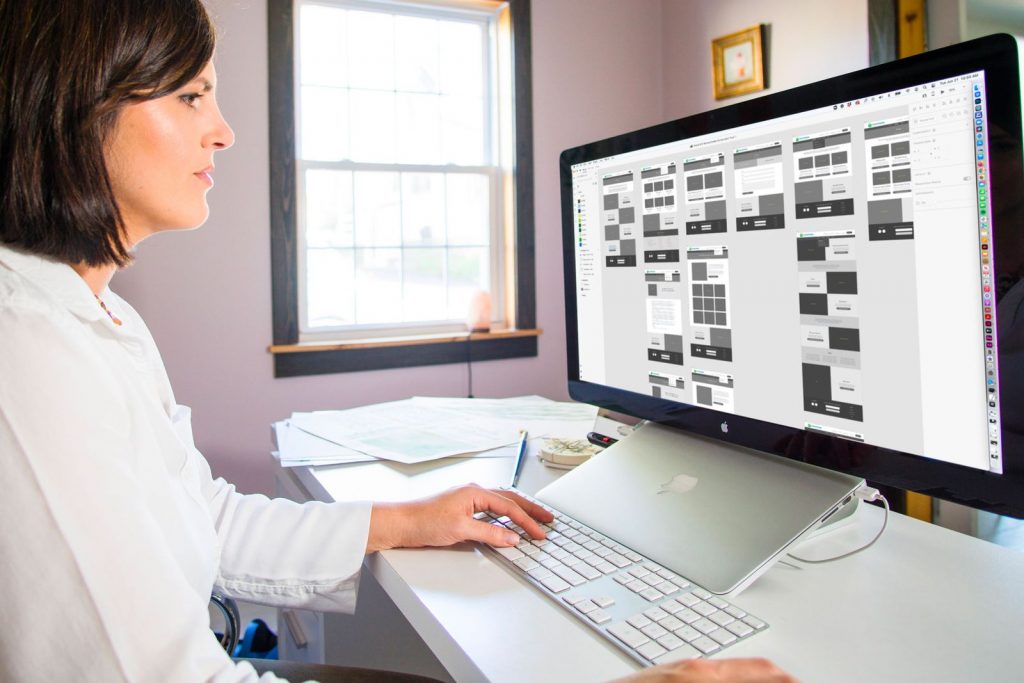
This step is a process within itself but it should begin with wireframes. Once you are clear on steps 1-4 the goal of your designer should be to take all of that information and implement it into a user-friendly experience for your target audience. The best way to do this is to visualize the entire site through wireframes. This way you are thinking through the web of possibilities before you set anything into stone. Also, you create a visual guide for gathering content and building out the entire site. This saves you time and money in the long run and allows you to create a doable action plan from the start.

Is your website optimized to reach its fullest potential in search engines? Whether you’re looking to improve your site’s SEO strategy or start building a strong online presence from the ground up, I’m here to help. Let’s discuss how we can increase your visibility and attract more of your ideal customers. Reach out for a personalized SEO consultation, and together, we’ll ensure your website not just exists but stands out and attracts the audience it deserves.

Book Your Web Design Consultation
  • « Go to Previous Page
  • Page 1
  • Page 2
  • Page 3

Primary Sidebar

Designer Cynthia Oswald

About Cynthia

In addition to creating surface design and fine art, I own and manage a boutique branding agency where I help passionate business owners bring to life their creative ideas through brand, print, and web design. My studio is based just outside of Phoenixville, Pennsylvania. When I’m not working you can find me chasing my little ones or dogs around our small home, enjoying a fire with my husband, reading, or riding my bike on the river trail near our home.

Recent Posts

  • Drawing Meaning: The Art and Emotional Power of Letterforms
  • The Wild Garden: Botanical Portraits Rooted in Memory, Place, and Meaning
  • The Quiet Beauty of Clay-Coated Wallpaper
  • Heirloom Revived: The Story Inside an Object
  • The Art of Holding Your Vision (and Returning to It)
  • The Rhythm of Slow Art: Why I Paint Botanicals All Year Round
  • The Gift of Unfinished Work: Embracing the In-Between in Creative Projects
  • From Keywords to Connection: The Evolution of SEO for Storytellers
  • SEO Glossary Made Simple: Key Terms Explained
  • Travel Notes from Italy: Lucca, Spello, and the Everyday Beauty That Inspires My Art

Footer

CO Logo

Click here to email me
Phoenixville, PA

Let’s Connect

  • Facebook
  • Instagram
  • LinkedIn
  • Pinterest

News + Resources

MENU

  • Contact
  • About
  • Learn
  • Writing

Copyright © 2026 Cynthia Oswald | Website Credits | Privacy Policy | Terms